AI takeoff and reviewing its work
One click counts, measures walls and runs, and finds rooms. You check anything it's unsure of.
- Click AI takeoff in the toolbar (or turn on Run AI takeoff when the board opens in New project, then Run AI takeoff and open board).
- Tick the Drawings and Trades to include, then Run AI takeoff. A trade you typed under Other… in New project has its chip here too, and the AI looks for its usual legend symbols (or its template's items). It keeps running on the server even if you close the page. From New project, a loading screen stays up until it's done, with the drawing it's on, the time taken and about how long is left; Cancel stops it. If you leave the takeoff while it runs, its project shows Running and then a banner says it's ready, with Open takeoff (see Projects).
- When it's finished, items it's less sure of are purple and marked To review. They don't count until you accept them.
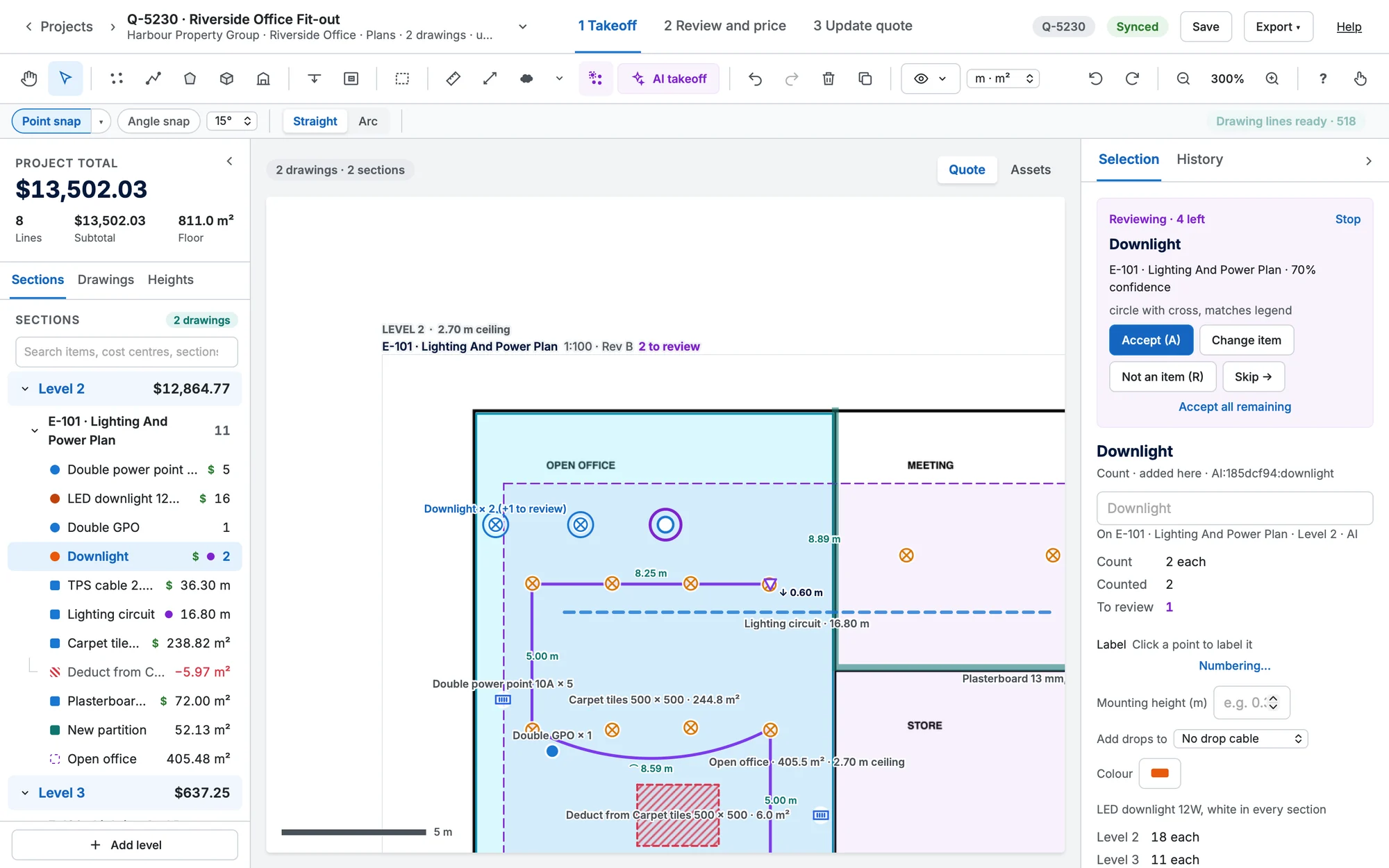
Review
In Selection, Step through zooms to each one: Accept (A), Change item, Not an item (R) or Skip →. Accept all remaining accepts the rest. Marks you drew or already reviewed are never changed by a later run.
Dismiss the review card
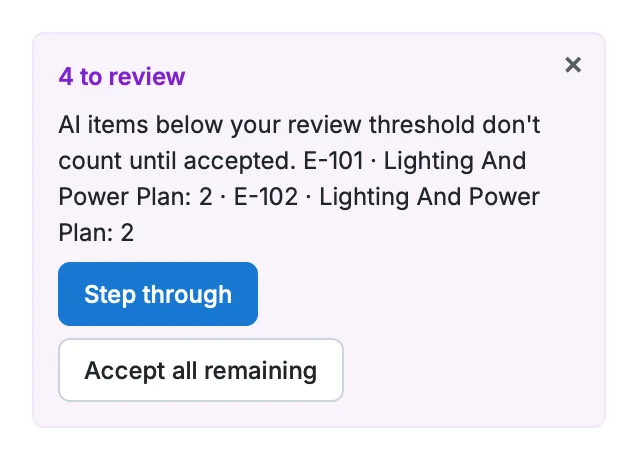
To put the card away for now, click its × ("Hide this card"). Nothing is accepted or rejected: the items stay To review and still don't count. With nothing selected, N items to review in Selection brings the card back, and it comes back by itself when there's something new to review.
How sure the AI must be before it skips review is a company setting (AI review threshold, 85% by default).