Count by symbol recognition
Box one symbol and the AI finds the rest on the sheet. You approve what it found.
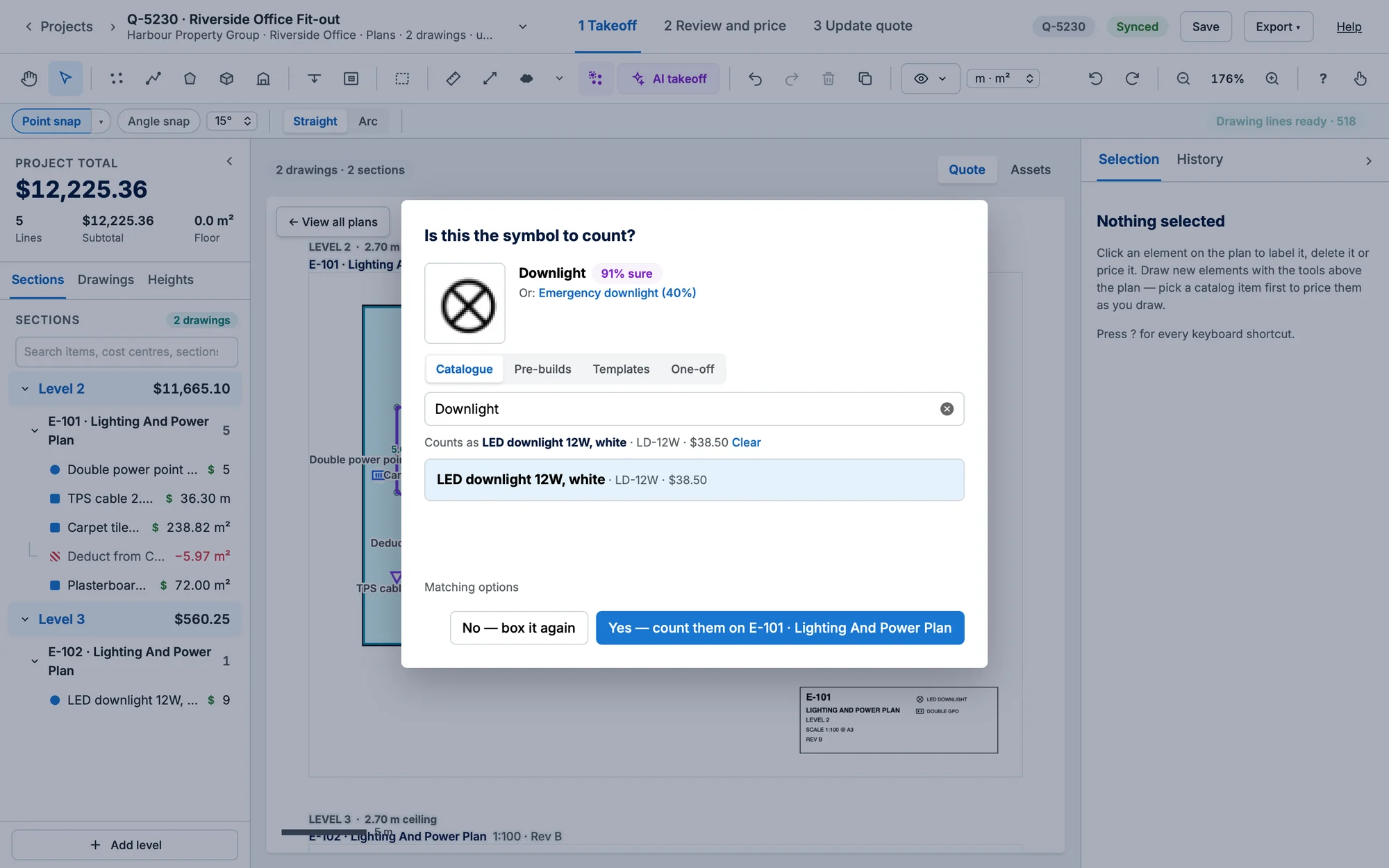
- Press S and drag a box around one clean example of the symbol (or Use a library symbol…).
- Check what the AI thinks it is (with how sure it is, and an Or: alternative to click). The search under it starts with the AI's name and shows matching catalogue items, the best one picked.
- To count it as something else, search Catalogue, Pre-builds or Templates and click the item, or choose One-off and give it a description, sell price and unit. Counts as shows what the count is called and priced as; Clear leaves it unpriced, named by your search.
- Under Matching options, set the Sensitivity: Strict, Balanced or Loose.
- Click Yes — count them on the sheet (No — box it again to start over).
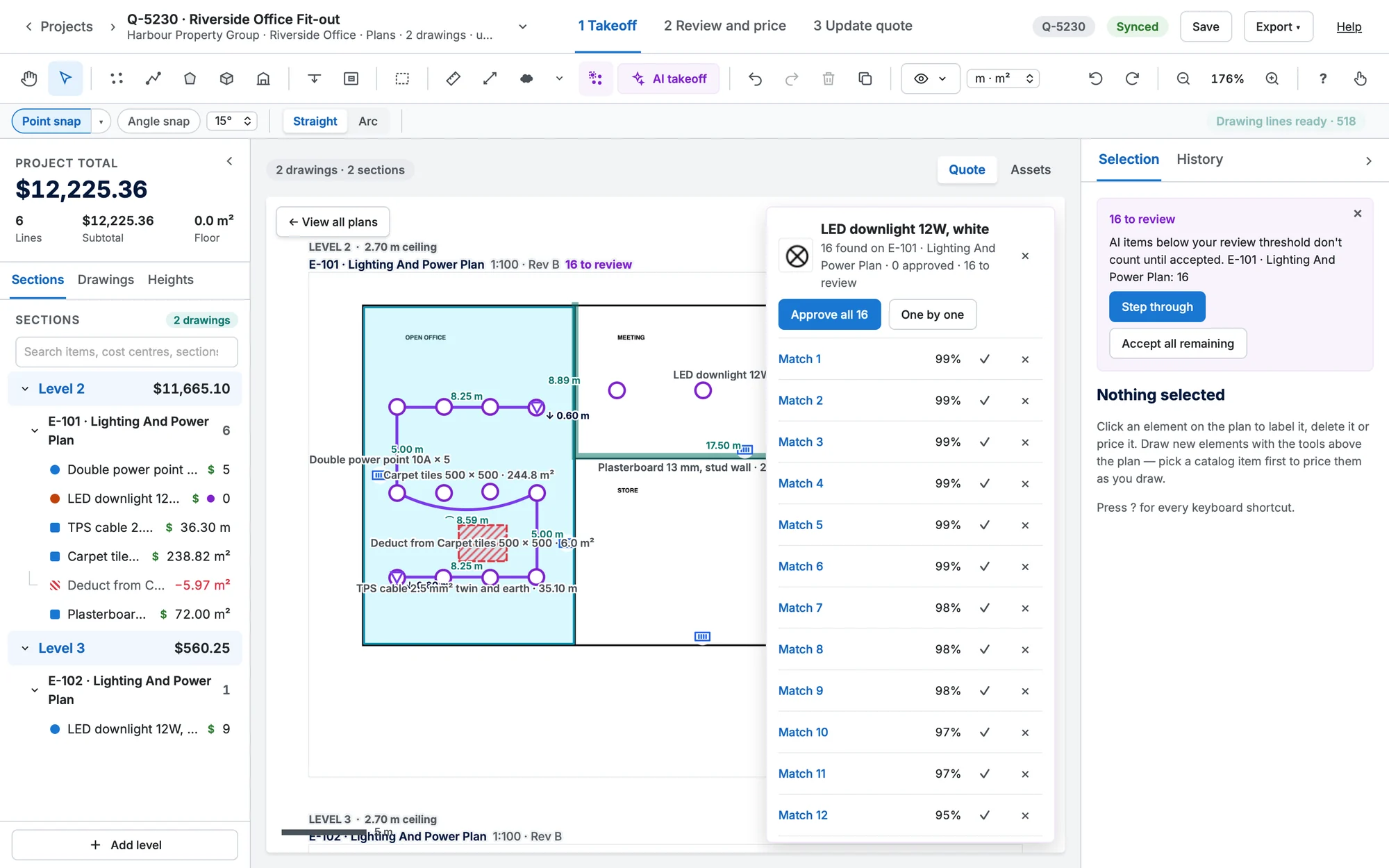
- Review the results: Approve all N, or One by one with Approve (A), Not this (R) and Skip →.
- Then choose whether to count it on the other floor plans too: Just this plan or Every floor plan.
Matches you leave unreviewed show in Selection as N to review, the same card as an AI takeoff's, in a takeoff and on a site map. Its × hides it without accepting or rejecting anything.
TipNothing found? Try Loose sensitivity, or box a cleaner example.
TipA template is counted as one line and copied into its items when you sync to Simpro. Price tiers apply to catalogue items only.