Create or update the quote in Simpro
Step 3 checks the takeoff, then creates the quote, or updates the quote or job, in Simpro.
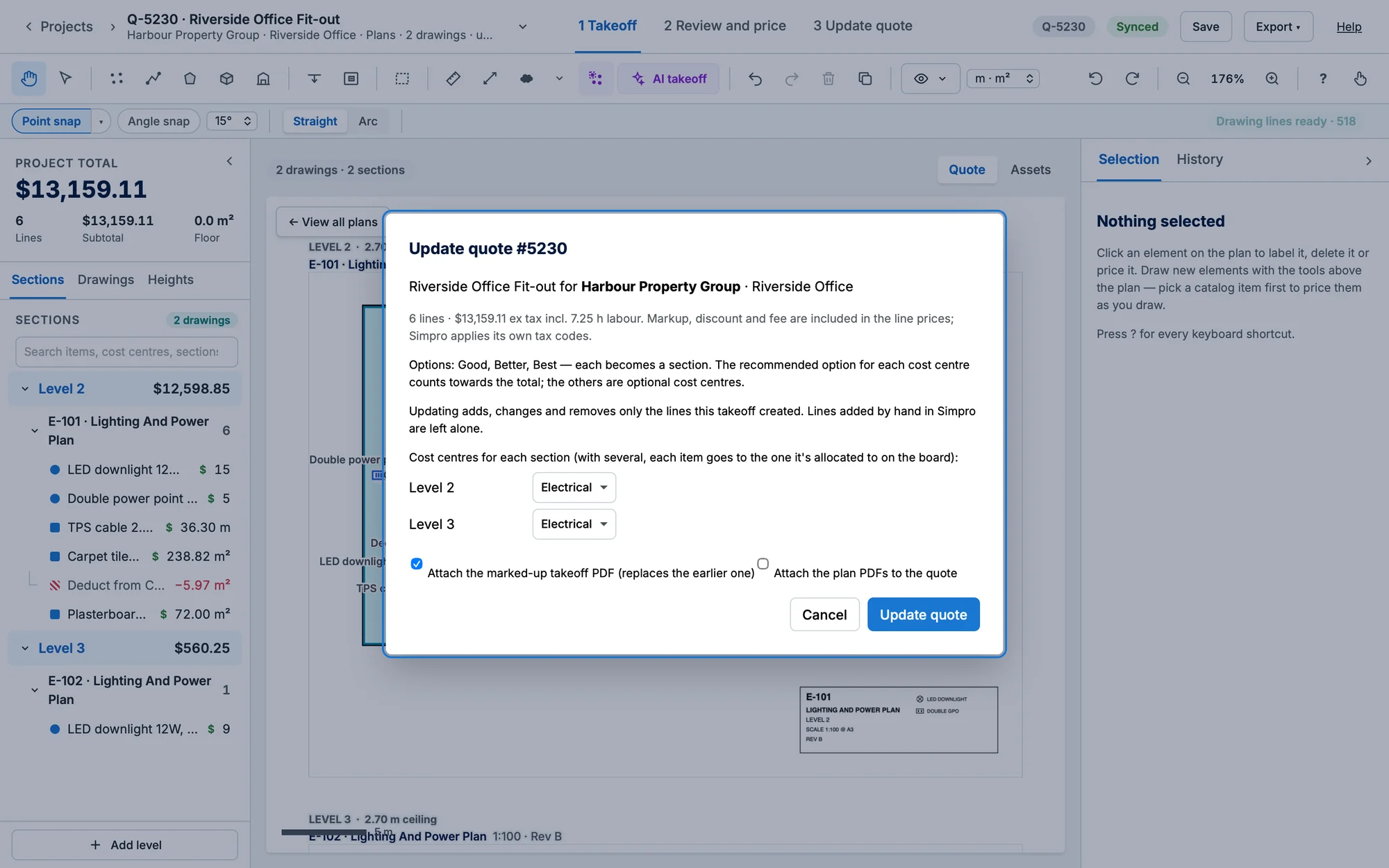
- Click 3 Create quote (the tab reads 3 Update quote or 3 Update job when updating).
- Fix anything listed under Before syncing to Simpro: a missing customer or site, items with no catalogue item, lines with no quantity, archived catalogue items, or a closed quote.
- Check the Cost centres for each section. A section can have several: each item then goes to the one it's allocated to on the board, and items not allocated yet are listed (they go to the section's first).
- Leave Attach the marked-up takeoff PDF ticked to put the PDF on the quote (it replaces the earlier one).
- Click Create quote or Update quote.
Updating safely
- Updating adds, changes and removes only the lines this takeoff created. Lines added by hand in Simpro are left alone.
- If someone changed a takeoff line in Simpro since the last sync, choose Overwrite with the takeoff or Keep the Simpro changes for those lines.
- Linking an existing quote that already has materials: choose Append (keep) or Replace (remove) per cost centre.
- A version is saved before every sync, and if anything fails the whole sync is undone.
Progress and results show in a notice at the bottom left (click it to dismiss it). The quote chip in the header then shows Synced · Q-…, or Out of sync · Q-… after further changes.