Runs, arcs, drops and wastage
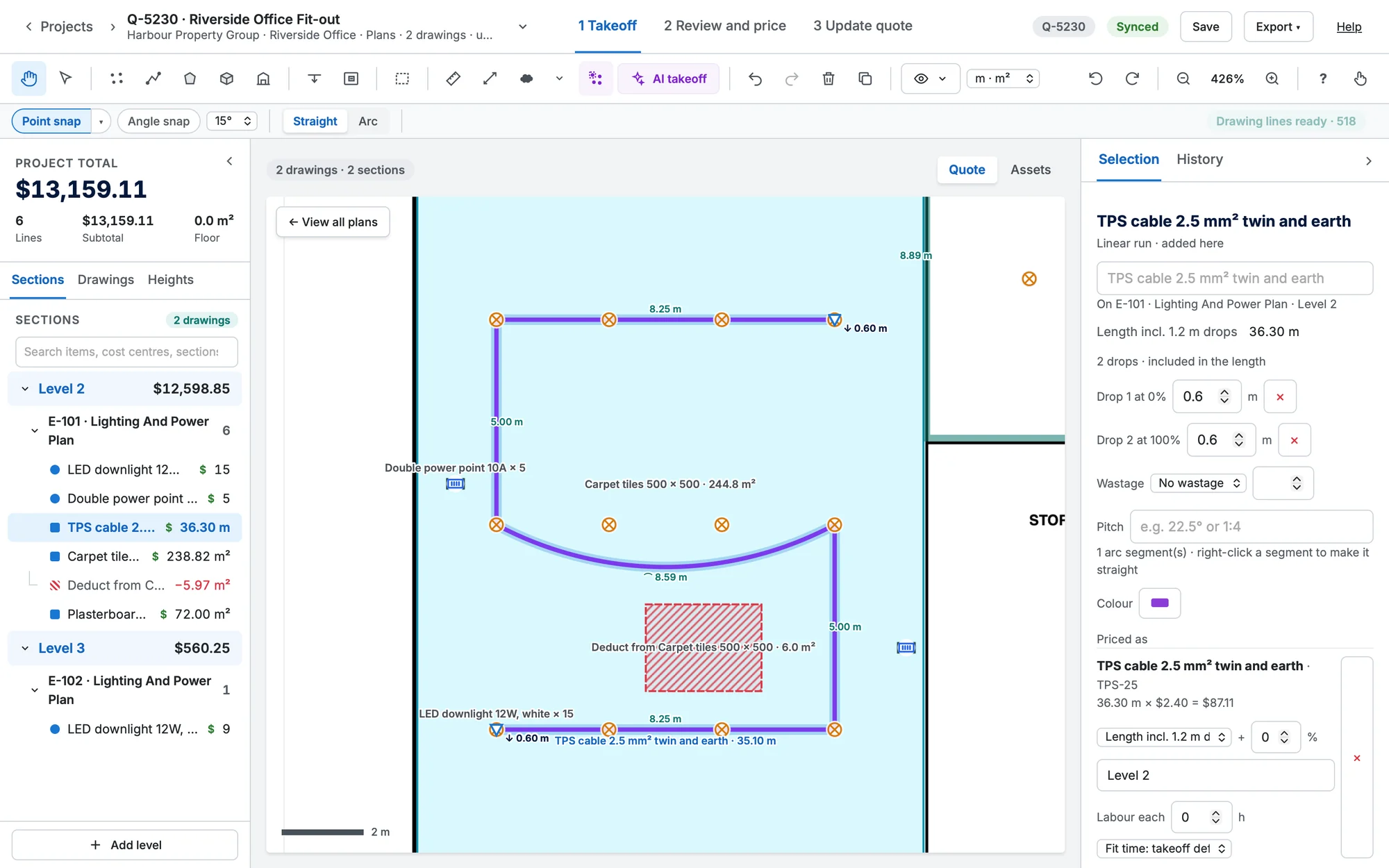
Measure cable, conduit and pipe runs, with curved segments, drops and wastage.
- Choose a length item, or press L.
- Click each point along the run.
- Double-click or press Enter to finish.
Arcs
Switch to Arc (B): after each point, move to bow the segment and click to fix it. To change a segment later, right-click it: Convert segment to arc or Convert segment to straight.
Drops
- Choose the Drop tool (D) and click a run where the drop is, or right-click the run → Add drop here.
- Turn on Every point to put a drop on every point of a run, ends included.
- The drop length is the item's default drop, else the value in the options row.
- Click a drop again to remove it. Drops are listed (and editable) in Selection.
Wastage
In Selection, add Fixed (m), Per m run or % wastage to a run, or set it on the item's style so every run of that item gets it.
Pitched runs
A run drawn on a plan of a slope, such as a ridge-to-eave rafter, can measure its true length. In Selection, type the Pitch: degrees (22.5), rise:run (1:4) or a grade (30%). The run's length becomes its plan length ÷ cos(pitch): 10 m at 22.5° is 10.82 m. Drops are added after (they're vertical), then wastage on the total. Pitch goes up to 80°; clear the box to go back to the plan length.
Runs linked to counted points
With Point snap on, a run that starts or ends on a counted point stays linked to it: move the point and the run follows. Drag the run's end away to unlink it.